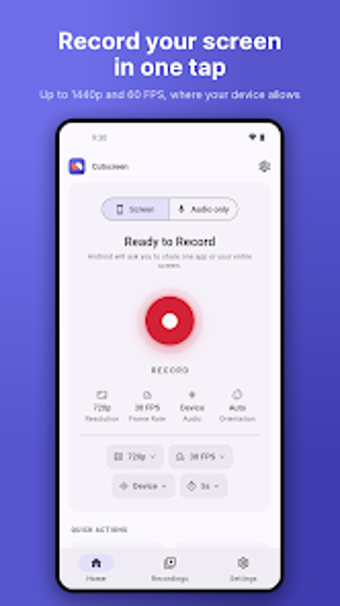
Cutscreen: high‑frame recording with an onboard video editor
Record gameplay at up to 60 FPS and 1440p resolution, overlay a facecam with custom frames, then trim clips inside the app. Cutscreen: Recorder Editor, from plycoder, is an Android utilities tool that combines recording and immediate editing. It captures internal and microphone audio, offers a floating control widget and in-session screenshots, and stores output locally without requiring an account. The app fits mobile gamers, reaction creators, and instructors who need quick, device-native capture and edit workflows.
What does Cutscreen actually do?
The app records the device screen at high resolutions and includes an integrated editor that trims recordings after capture. Cutscreen supports up to 60 FPS and 1440p, offers facecam overlays with selectable frames (heart, star, hexagon) and filters like X-ray or Comic, and captures dual audio streams (internal and microphone). The workflow keeps recording, facecam, and basic editing inside one tool, removing the need to export to another editor for simple cuts.
Does it slow down your system during a recording?
Recording at high frame rates and resolutions consumes more resources, but the app performs an automatic device capability check to choose compatible encoding settings. In addition, the floating control widget lets you pause or stop without switching apps, and screenshots work during active sessions. These elements indicate the app adapts to hardware limits rather than forcing a single heavy profile across devices.
Is it safe to use and does it respect privacy?
Cutscreen stores recordings locally and requires no account creation, which keeps captured material on the device by default. The app documents internal audio capture, which depends on Android 10 or higher for system audio access, and offers control over microphone input. Those details show a privacy-oriented design and explicit permission handling for audio sources.
Cutscreen suits creators who want quick, local capture with one caveat
The app is a sensible option for mobile creators who need high‑FPS capture and fast editing without leaving the device, backed by local storage and no account requirement. The main caveat is that internal audio recording requires Android 10 or newer, so devices on older system versions won’t get that feature. For users on current desktop-class Android devices, it performs as a direct-record-and-edit tool with minimal setup.